This guide covers the useful NBN Atlas web services for pulling occurrence information from the NBN Atlas. Occurrence web services:
|
See the full list of occurrence web services and their parameters here (all other web services are also listed here).
Occurrence search
The Occurrence search web service allows you to search for occurrence records, as you would search for records on the NBN Atlas, e.g., https://records.nbnatlas.org.
The web service
https://records-ws.nbnatlas.org/occurrences/search?
Useful parameters
* indicates that the parameter must be included in the request
| Parameter | Description |
| q* | Query parameter – format query as FIELD:VALUE. If you are not using this parameter to filter your search, supply a catch all query, meaning return all fields and all values. Supply * for the FIELD and VALUE to return all fields and values (i.e., q=*:*). When filtering by a string, e.g., by scientific name, wrap the string in quotation marks for an exact match, e.g., q=taxon_name:”Fratercula arctica” |
| fq | Filter query parameter – format as FIELD:VALUE. As explained above, if filtering by a string, wrap the string in quotation marks for an exact match. |
| pageSize | Set the limit for number of occurrence records to be returned. DO NOT supply an integer higher than 1000, this can bring the Atlas down! If this parameter is not supplied, the page size is set to 10 by default. |
| facets | Supply a field name to return facet counts for (record count per field value, e.g., data provider). You can supply multiple facets parameters in a single request, and a data frame will be returned for each set of facet counts. |
| dir | Supply ‘asc’ to order the facet results by counts in ascending order or ‘desc’ to order the facet results in descending order |
| flimit | Set the limit for number of facet values to be returned for facets. To return all facet values returned for facets, set flimit to -1, i.e., flimit=-1. |
| lat | Can use this parameter to search for a supplied latitude. If using this parameter, you must also supply a value for the lon parameter. |
| long | Can use this parameter to search for a supplied longitude. If using this parameter, you must also supply a value for the lat parameter. |
| radius | This parameter MUST be supplied if using the lat and lon parameters (otherwise request will fail). Can use 0.1, 0.5, 1, 2, 5, or 10 to define a search circle in kilometres. |
For the q and fq parameters you can specify field names used on the NBN Atlas to filter your search query. You can also specify a field name for a facet parameter/s in your search to return record counts for the field values. Download the attached Excel file for available fields to use.
Example uses
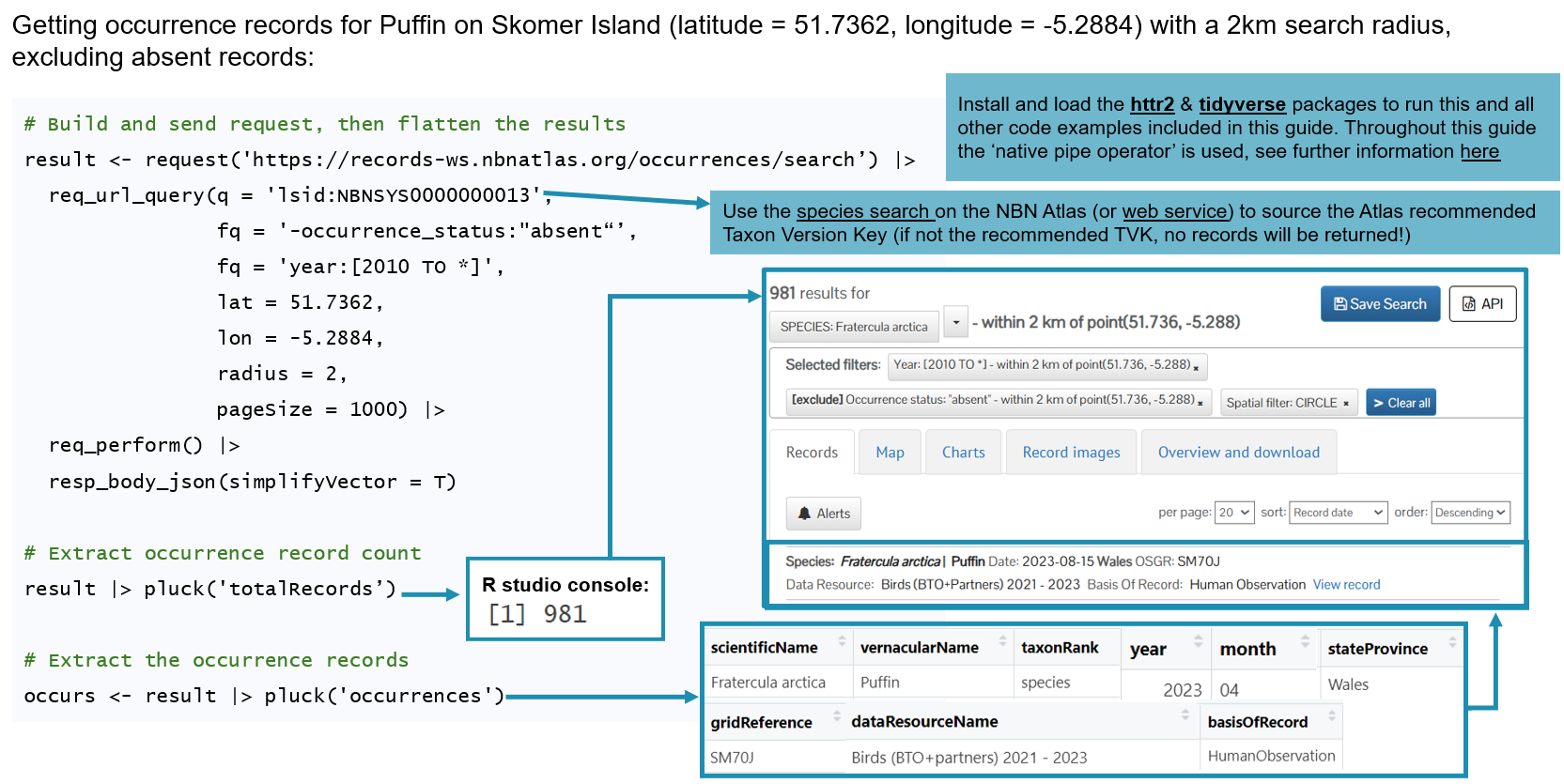
Search for species occurrence records of Puffin on Skomer Island (latitude = 51.7362, longitude = -5.2884) with a 2km search radius, excluding any absent records:
https://records-ws.nbnatlas.org/occurrences/search?q=taxon_name:"Fratercula arctica"&fq=-occurrence_status:"absent"
&lat=51.7362&lon=-5.2884&radius=2&pageSize=1000
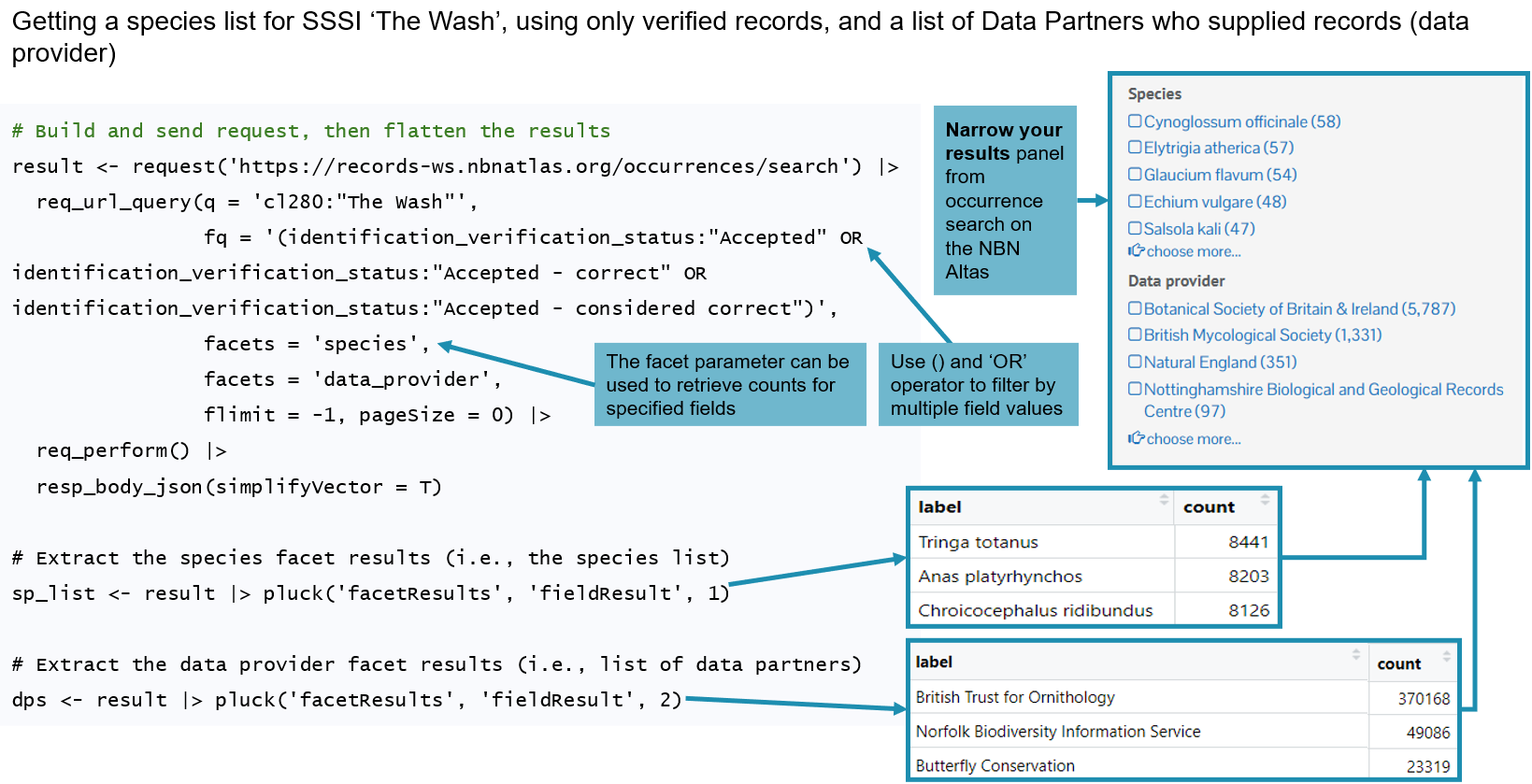
Retrieve a list of species recorded in Nottinghamshire from 2015 to the current year and their record counts:
https://records-ws.nbnatlas.org/occurrences/search?q=cl254:"Nottinghamshire"&fq=-occurrence_status:"absent"&fq=year:[2015 TO *]
&facets=species&pageSize=0&flimit=-1
Use 'flimit=-1' to return all facet values.
Example use cases with R
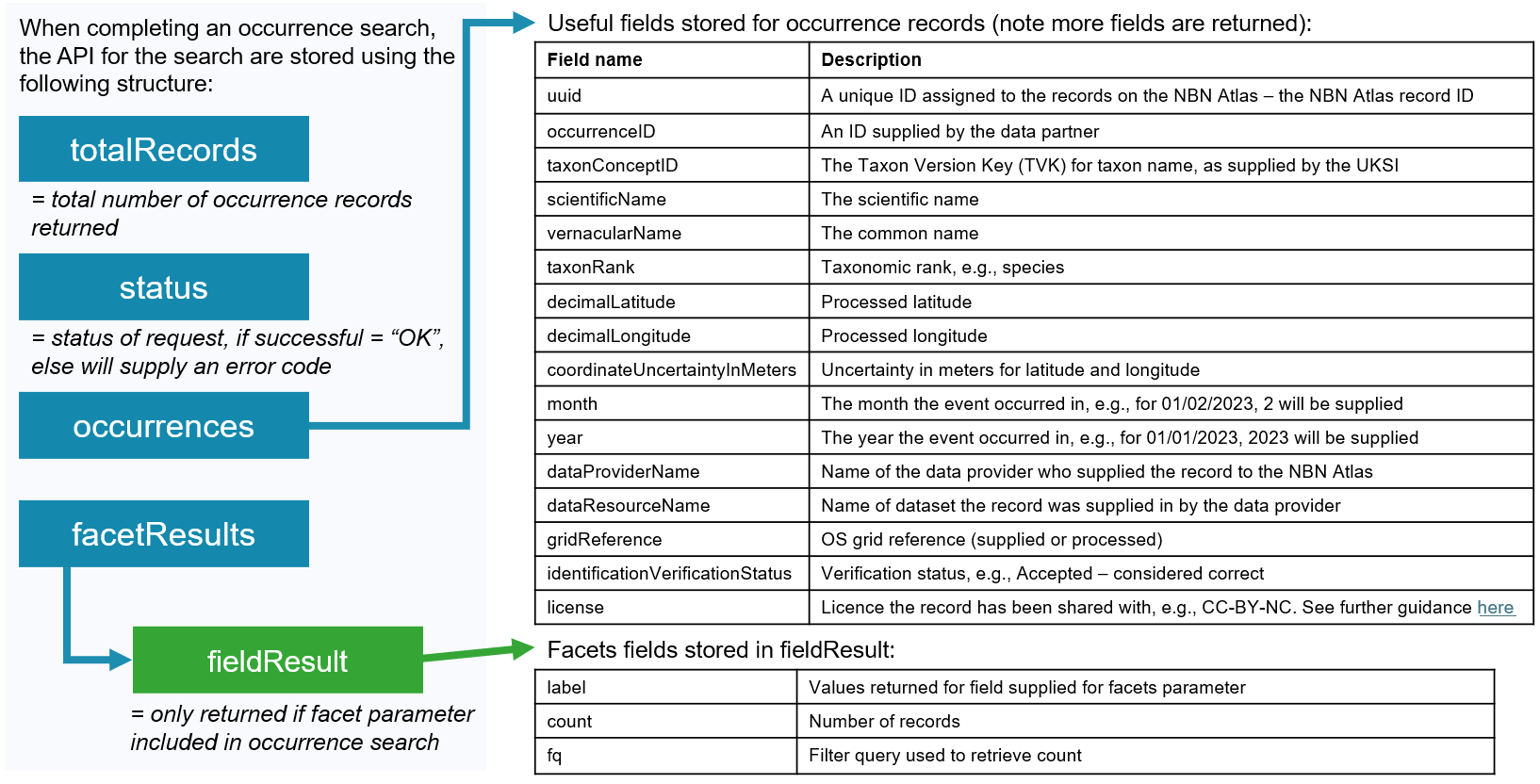
Data structure returned
Occurrence details
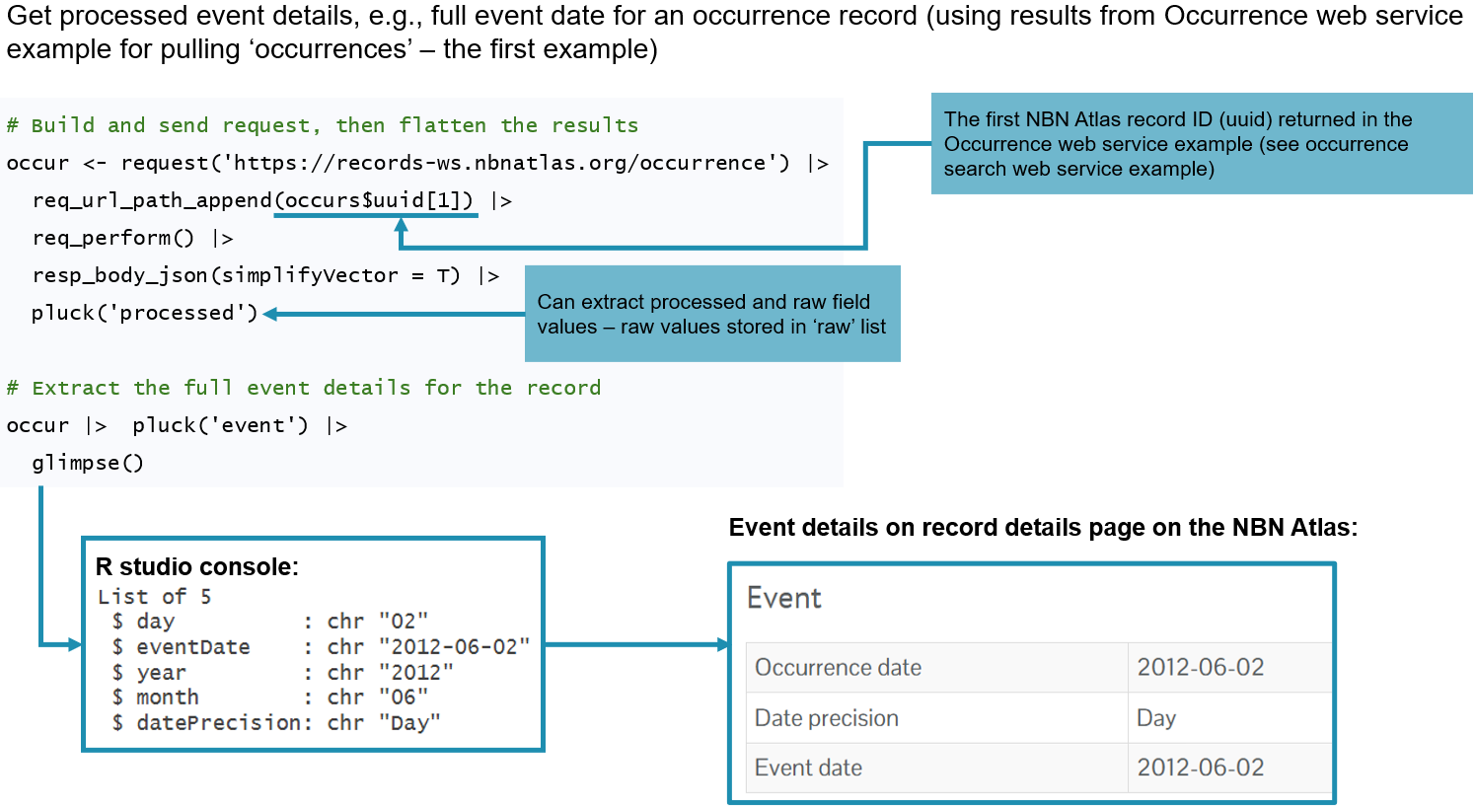
The Occurrence details web service allows you to retrieve the full details for an occurrence records using the NBN Atlas record ID. This is a useful web service to be used alongside the Occurrence web service which returns the NBN Atlas record ID (uuid). You can also retrieve this ID from the URL of an occurrence detail page on the NBN Atlas.
The web service
https://records-ws.nbnatlas.org/occurrence/{NBN Atlas record ID, also referred to as ‘uuid’}
Example use cases with R
Data structure returned
Compare original vs processed
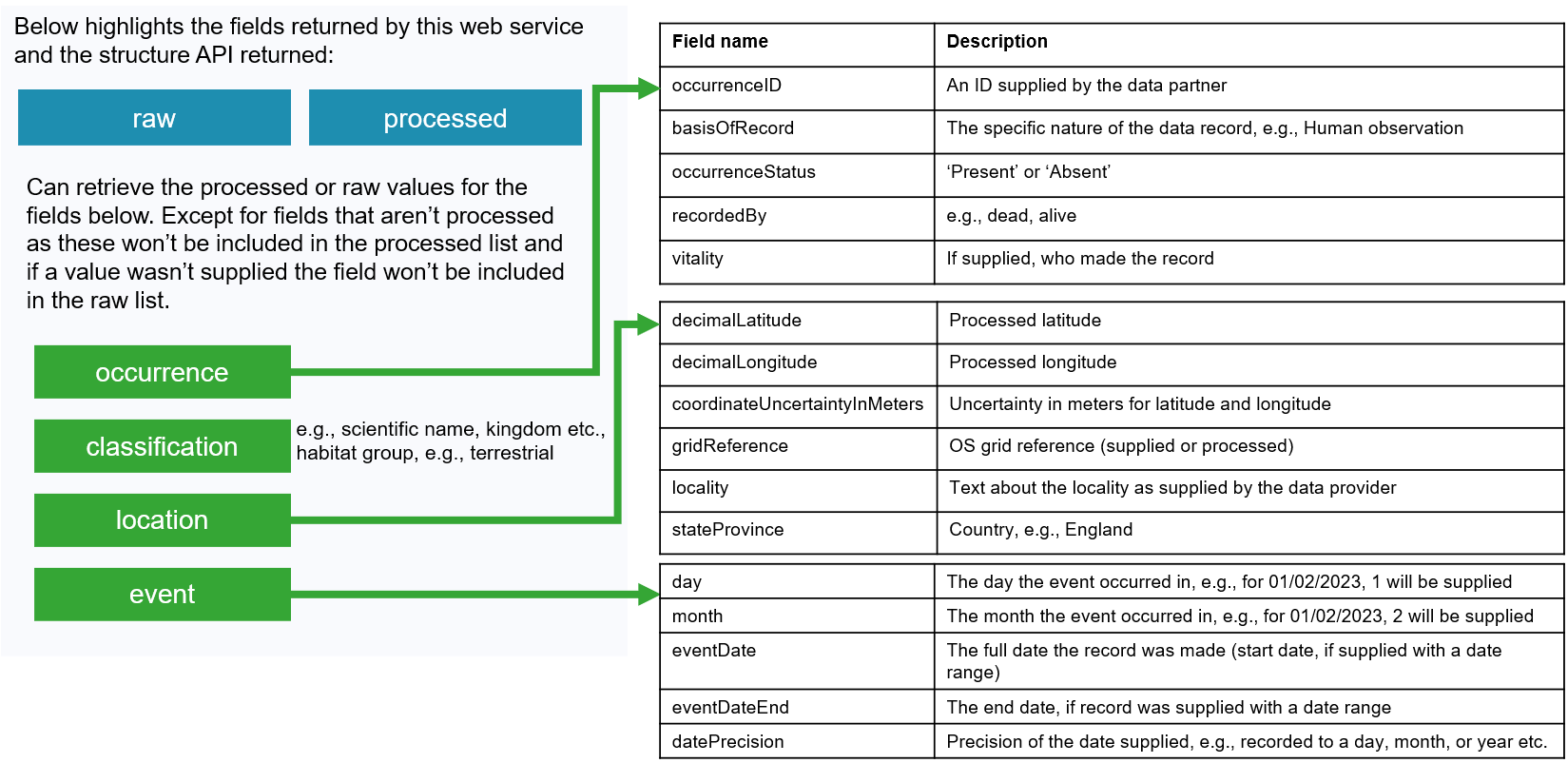
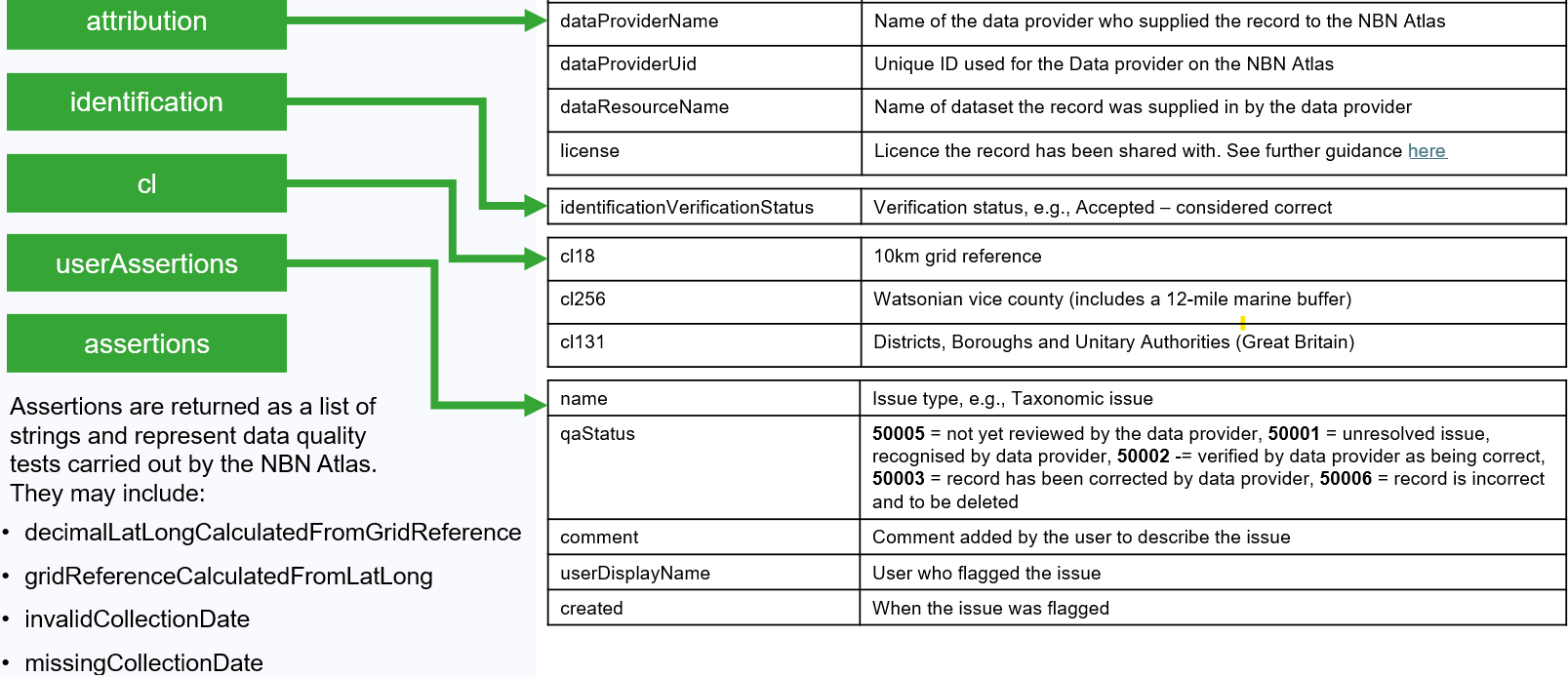
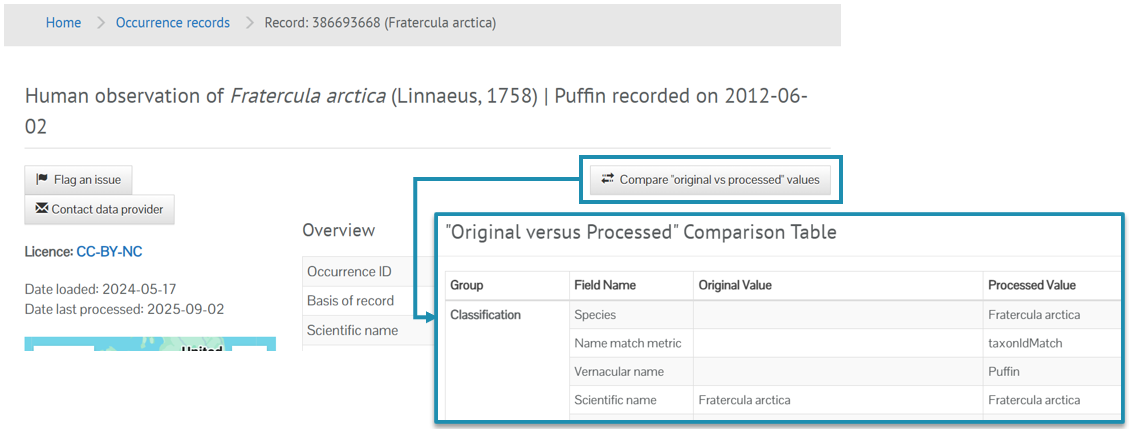
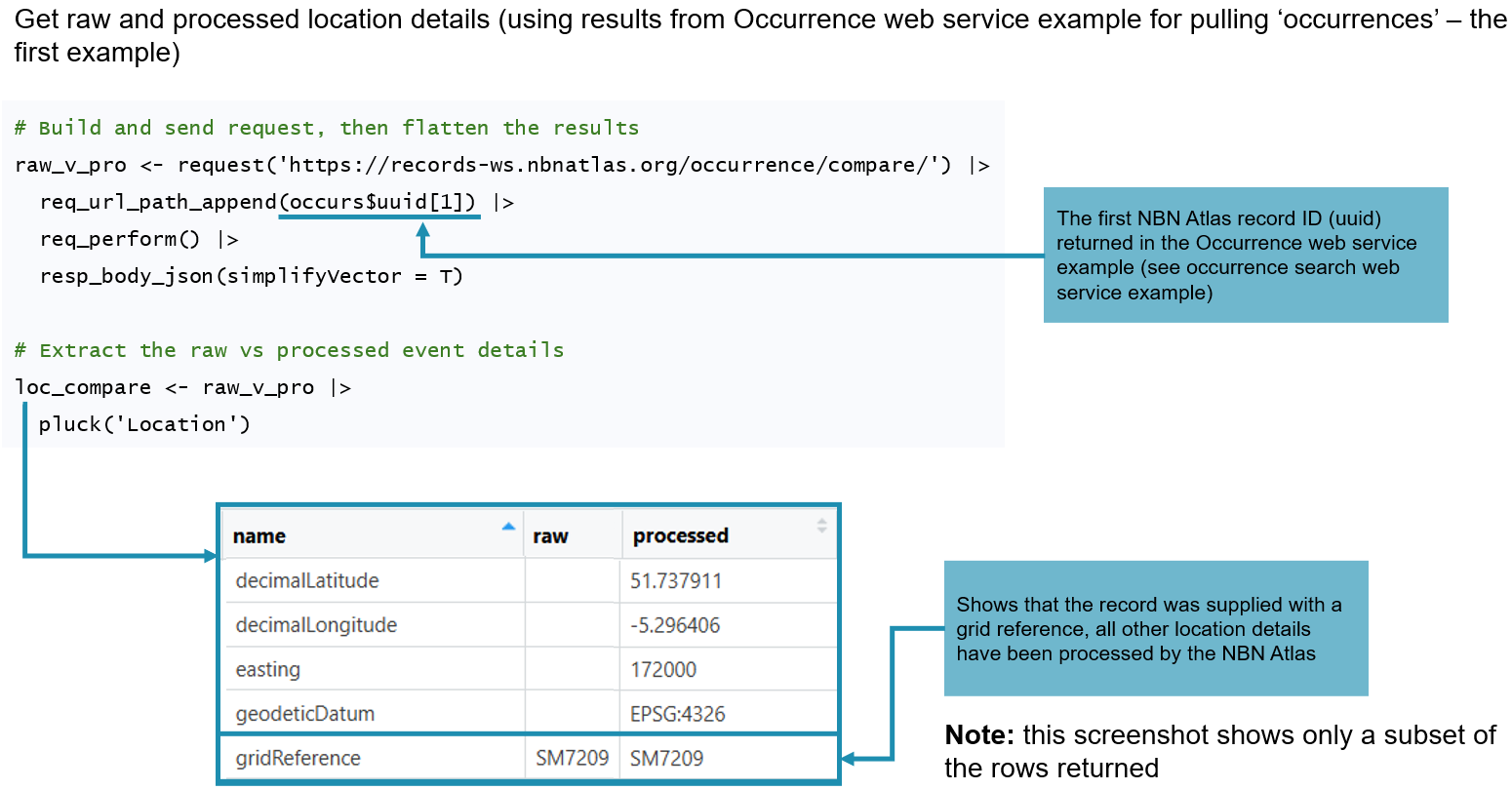
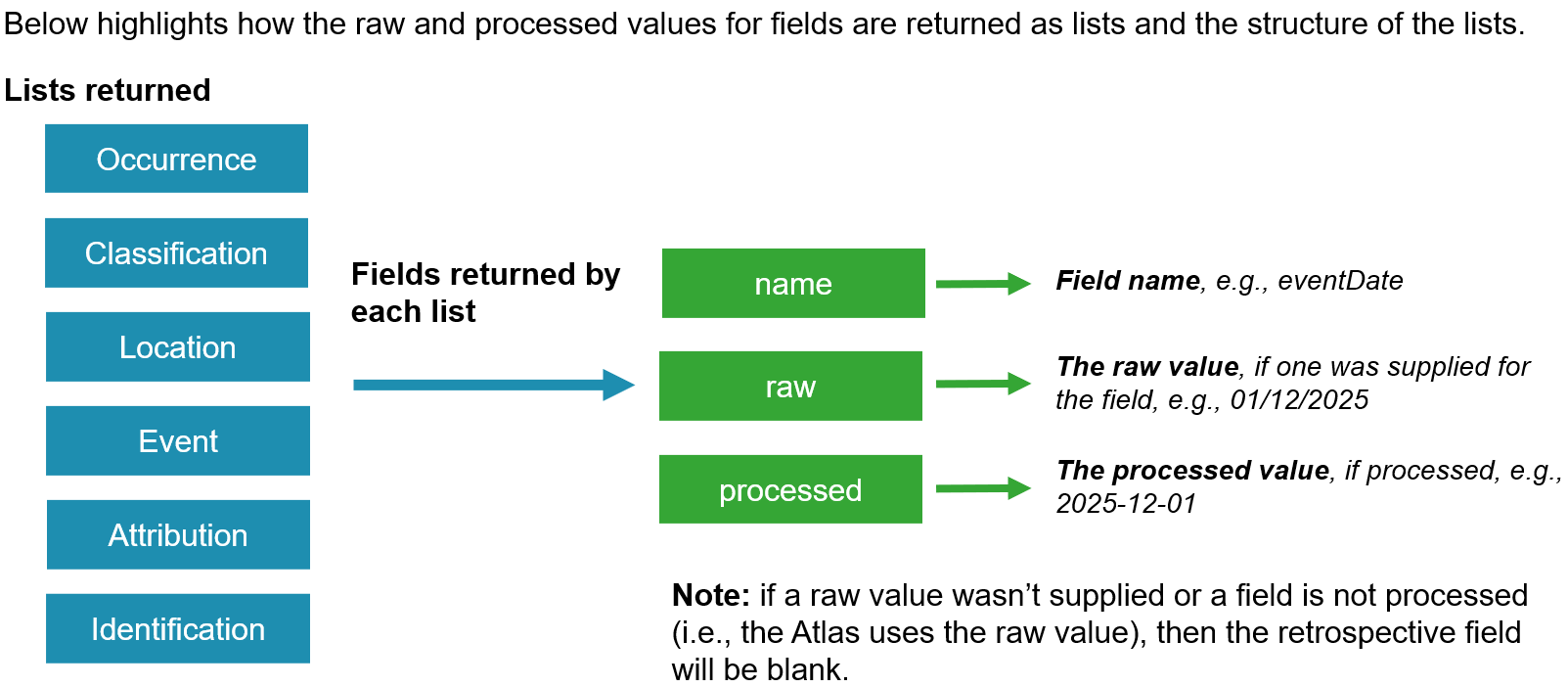
This is a dedicated web service for retrieving the raw (supplied) and processed values for an occurrence record. This web service is used to generate the values shown in the Compare original vs processed values table accessed via an occurrence record’s detail page. If the raw field is blank for a record, this means no value was supplied and if the processed value is blank this means the value isn’t processed (i.e., the raw value is used).
The web service
https://records-ws.nbnatlas.org/occurrence/compare/{NBN Atlas record ID, also referred to as ‘uuid’}
Example use cases with R
Data structure returned
Was this article helpful?
That’s Great!
Thank you for your feedback
Sorry! We couldn't be helpful
Thank you for your feedback
Feedback sent
We appreciate your effort and will try to fix the article