The Export Checklist produces a list of species for a given area together with the number of occurrences recorded in that area.
Note: these records reflect the data held in the NBN Atlas, and not the list of all species potentially found within an area.
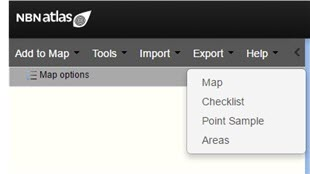
From the menu option, select ‘Export’, and then ‘Checklist’
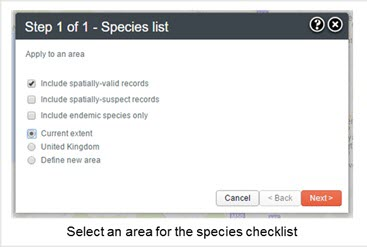
Press the ‘Next’ button. Note the ‘Define new area’ involves an extra step (please refer to Add Area for additional information).
The Species List Results Preview shows the first 200 species found in the area and the number of occurrences for each species.
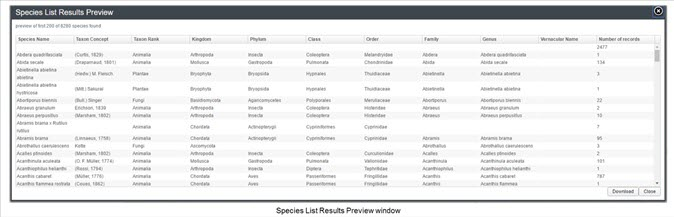
Clicking the ‘Download’ button will produce a CSV file of all the Species and the number of occurrences.
Fields in the Check List are:
- Scientific Name
- Kingdom
- Phylum
- Class
- Order
- Family
- Genus
- Species
- Number of Records
Was this article helpful?
That’s Great!
Thank you for your feedback
Sorry! We couldn't be helpful
Thank you for your feedback
Feedback sent
We appreciate your effort and will try to fix the article