The NBN is committed to making high quality, dependable biological data available in order to educate and inform about the state of the UK’s wildlife. It is unavoidable that species records may contain inaccuracies. Therefore NBN Atlas users can flag issues with these records.
Once an issue has been flagged, the data partner will need to verify the issue as:
- The data provider confirms that all the information on the record is correct
- The data provider confirms the mistake in the record – and will need to provide an update for the relevant data resource with the record corrected or removed.
Data partners can set up alerts for when their records are annotated or easily view their annotated records via the link on their data partner or data resource page.
How to flag an issue
Users must be logged in to the Atlas before the ‘flag an issue’ function can be used.
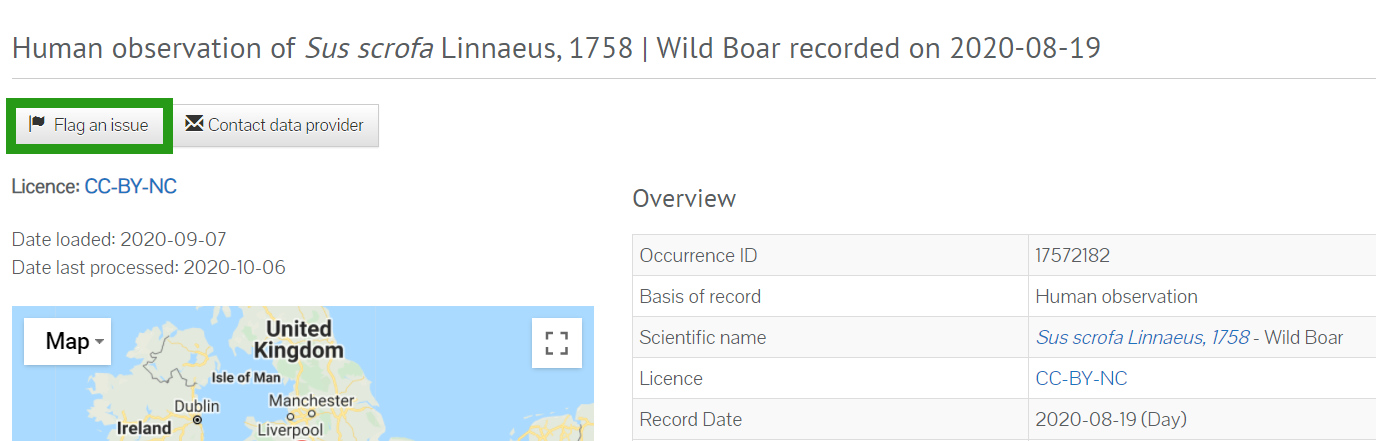
If there is a potential problem with a record, users can click the ‘flag an issue’ box on the left
of the occurrence record page.
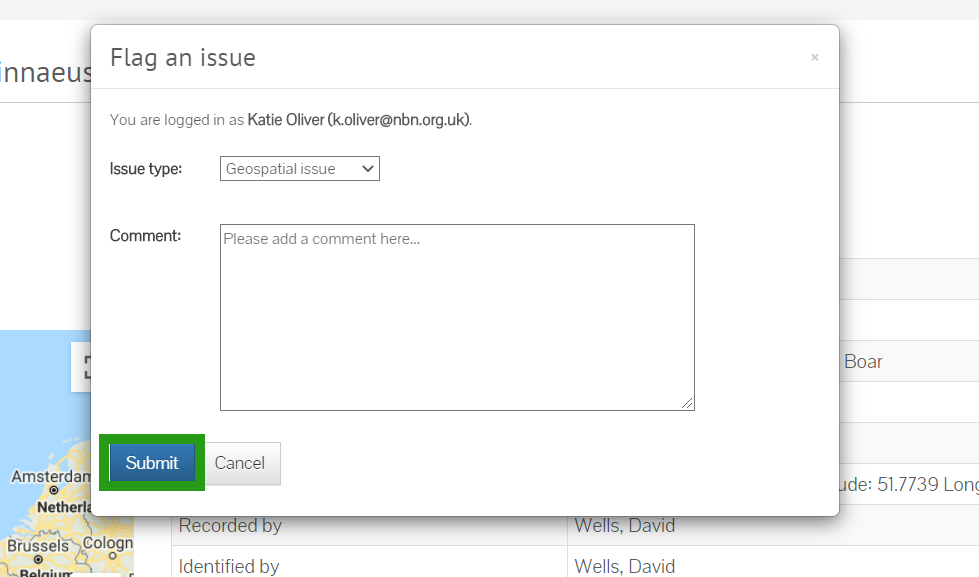
A drop-down box will enable the user to specify the issue-type (for instance, geospatial, taxon misidentified) and there is also a box to add any comments.
Was this article helpful?
That’s Great!
Thank you for your feedback
Sorry! We couldn't be helpful
Thank you for your feedback
Feedback sent
We appreciate your effort and will try to fix the article