NBN Atlas user can flag issues with records, read more here. As a data provider you should review these issues. You can set up an email alert for new annotations (includes flagged issues) for your data provider's records. You can also set email alerts to be sent to contacts listed for a data resource, if you are not the appropriate person to review and respond to record issues for the data resource (note you need to be set up with the data partner editor role to do this).
If you do not want to receive email alerts or have issues receiving them (your email provider is blocking the emails), you can easily navigate to the records with unreviewed issues on the data provider or resource pages. Click DATA AND PARTNERS and then Search for a Data Partner.
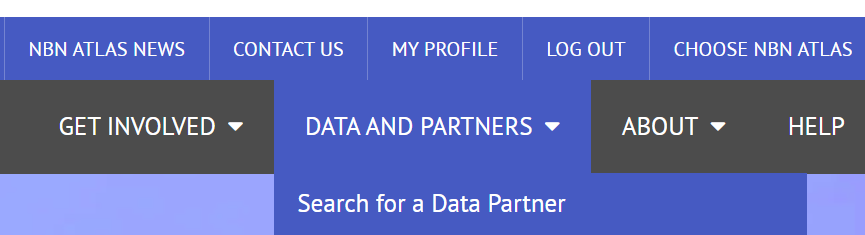
Click on the List tab and find your data partner name in the list. Click on the x records with unreviewed issues link.
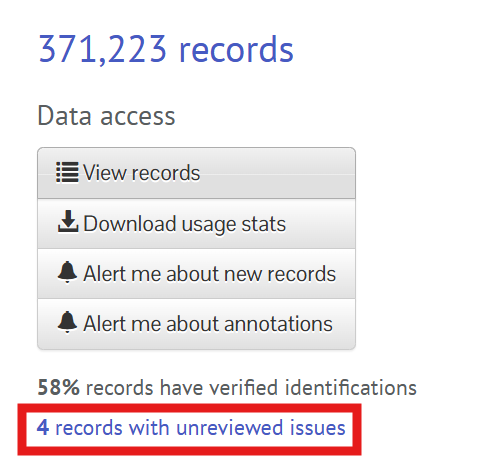
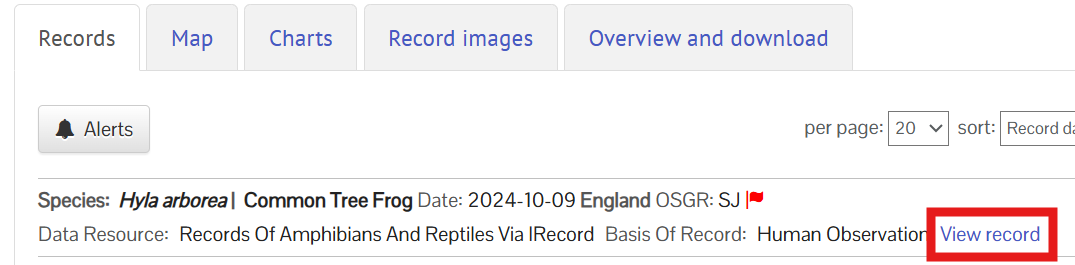
Click on the View record link for a record.
Scroll down to the User flagged issues section and click the Verify this annotation button.
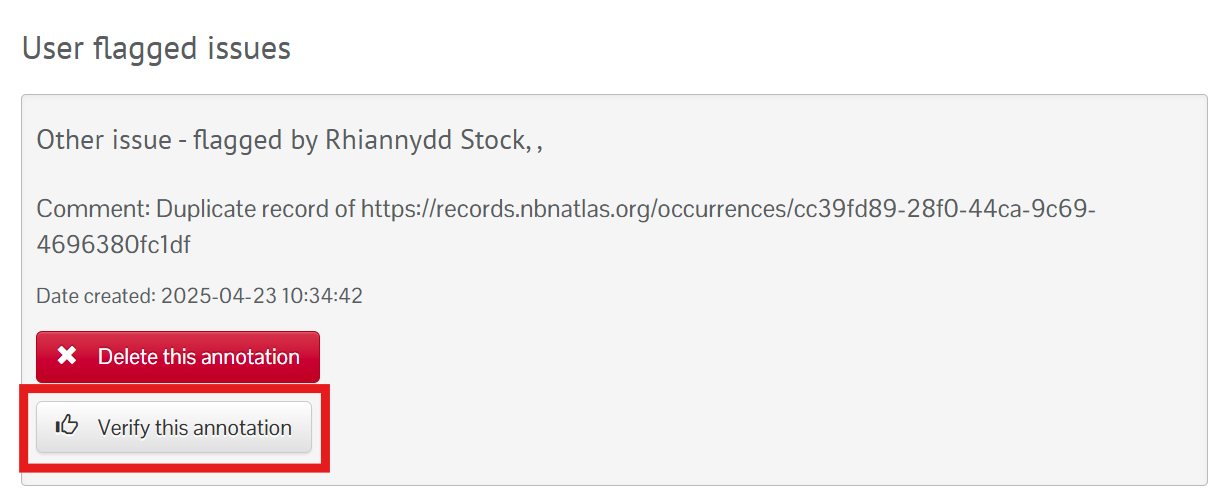
If you can't see this button, please let us know by submitting a ticket.
Select an appropriate User Assertion Status.
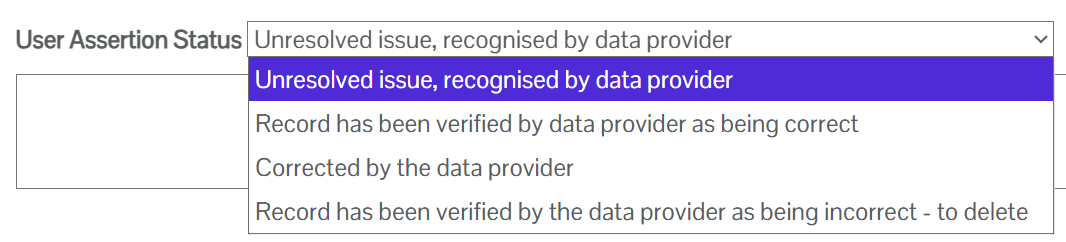
If the record is correct or has been corrected after an update, then choose the corresponding status, add a note in the text box, click Confirm and the flag will now be removed from the record. Note the annotations will remain on the record but no flag icons will be displayed on the record and it will be included in default searches again.
Important note: If the record has not been corrected on the NBN Atlas yet, please do not use the 'Corrected by the data provider', only use this status for when the corrected record has been reprocessed. If there will be a large delay in the record being corrected, you can use the 'Unresolved issue, recognised the data provider' status and add a note to say when the corrected record will be reprocessed/uploaded to the NBN Atlas.
If the record needs deleting or changing, please remove/edit the record in your copy of the dataset and resupply the dataset to be uploaded to the NBN Atlas.
Was this article helpful?
That’s Great!
Thank you for your feedback
Sorry! We couldn't be helpful
Thank you for your feedback
Feedback sent
We appreciate your effort and will try to fix the article