On your profile page, you can update your account information, manage your species lists, view any records you have annotated, and manage your alerts or reset your password. You can navigate to your profile page by clicking on MY PROFILE on any of the NBN Atlas pages.

The My profile page has several links to manage areas relating to your NBN Atlas account.
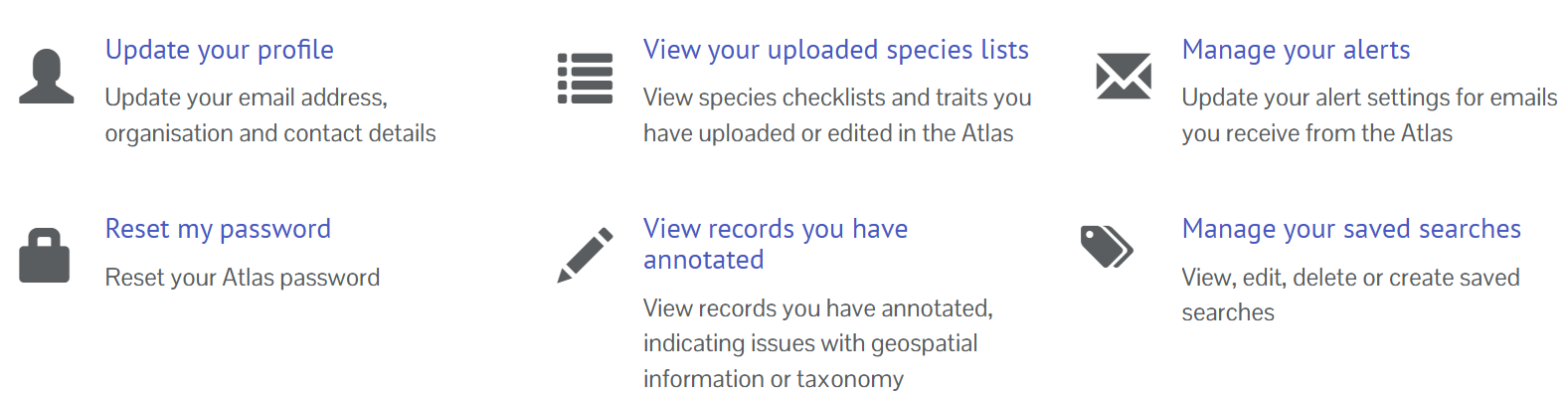
Update your account details
You can update your profile details, including the email used to log in to your account by clicking the Update your profile link on the My profile page.
View your uploaded species lists
You can use the species lists tool to upload your own lists. You can quickly navigate to species lists have uploaded and manage them by clicking on the View your uploaded species lists link on the my profile page.
View records you have raised issues with
The NBN Atlas allows users to raise issues with records and for data providers to respond to those issues, referred to as annotations. You can easily see records you have added annotation to by clicking on the View records you have annotated link on the my profile page. Read more about flagging issues here. Read more about reviewing flagged issues as a data provider here.
Manage your email alerts
You can set up email alerts for new records added to the NBN Atlas or annotations (flagged issues and comments on records). Read more about setting alerts here. You can manage these alerts by clicking the Manage your alerts link on the my profile page.
Manage your saved searches
NBN Atlas users can save their occurrence searches to easily access searches again in future. Read more about saved searches here. You can manage your saved searches by clicking the Manage your saved searches link on the my profile page.
Was this article helpful?
That’s Great!
Thank you for your feedback
Sorry! We couldn't be helpful
Thank you for your feedback
Feedback sent
We appreciate your effort and will try to fix the article